


Ace Quiz Maker
App Developer: Sider AI
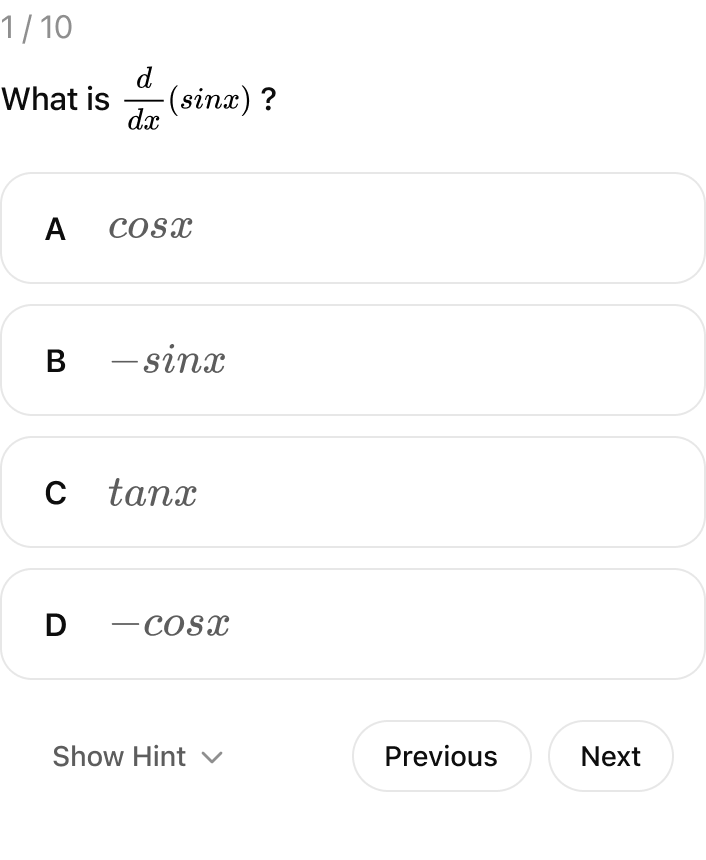
Stop passive reading and start active learning. Turn your PDFs, docs, and notes into interactive practice tests with instant scoring and detailed explanations—helping you master new materials in seconds. - Upload & Generate: Simply upload your PDFs, notes, or guides. Quiz Maker analyzes your files to build custom tests instantly. - Instant Explanations: Get detailed explanations for every wrong answer immediately to correct misconceptions. - Scoring & Report: Track your progress with a final summary showing Score, Accuracy, and Time Spent. - Review & Retake: Quizzes are automatically saved, so you can review later or retake them anytime to master the material. Perfect Scenarios: -Exam Prep:Ace exams like Driver's License, SATs, or Certifications. Upload study guides for rigorous practice. -Study & Review: Paste notes or upload chapters to verify understanding of new materials in seconds. How to Use in ChatGPT 1. Connect App: Connect Ace Quiz Maker to ChatGPT. 2. Trigger: Type “@Ace Quiz Maker ”. Sample prompts: - Quiz from File: "@Ace Quiz Maker Generate a 10-question multiple choice quiz from this uploaded PDF." - Topic Practice: "@Ace Quiz Maker Create a practice test about 'Python Programming Basics'."
Stop passive reading and start active learning. Turn your PDFs, docs, and notes into interactive practice tests with instant scoring and detailed explanations—helping you master new materials in seconds. - Upload & Generate: Simply upload your PDFs, notes, or guides. Quiz Maker analyzes your files to build custom tests instantly. - Instant Explanations: Get detailed explanations for every wrong answer immediately to correct misconceptions. - Scoring & Report: Track your progress with a final summary showing Score, Accuracy, and Time Spent. - Review & Retake: Quizzes are automatically saved, so you can review later or retake them anytime to master the material. Perfect Scenarios: -Exam Prep:Ace exams like Driver's License, SATs, or Certifications. Upload study guides for rigorous practice. -Study & Review: Paste notes or upload chapters to verify understanding of new materials in seconds. How to Use in ChatGPT 1. Connect App: Connect Ace Quiz Maker to ChatGPT. 2. Trigger: Type “@Ace Quiz Maker ”. Sample prompts: - Quiz from File: "@Ace Quiz Maker Generate a 10-question multiple choice quiz from this uploaded PDF." - Topic Practice: "@Ace Quiz Maker Create a practice test about 'Python Programming Basics'."
- Connector type
- MCP
- Distribution channel
- Ecosystem Directory
- App categories
- Education
- Countries
- UKUS
- Labels
- interactive: trueconsequential: true
- App review status
- RELEASED
- App version
- 1.0.0
- Branding website
- sider.ai
- Privacy policy
- https://sider.ai/policies/privacy
- Terms of service
- https://sider.ai/policies/terms
- Date added
- January 31, 2026
The app may have been launched before — we started gathering data on this date.
- Last seen
- July 6, 2026
“@Ace Quiz Maker Test me on calculus: derivatives and integrals.”
Featured App History
Currently a featured app
No
Based on today's date
Number of days featured
0
App Features
Total actions
0
Total templates
0
App features for Ace Quiz Maker coming soon!


