


Jam
App Developer:
Jam for ChatGPT connects your Jam screen recordings to ChatGPT. When you paste a Jam link, the app pulls in rich debugging context from that recording, including video, user events, console logs, errors, and network requests. ChatGPT can then use this data to help you understand, fix, and organize product issues. Use Jam for ChatGPT to: • Explain what went wrong in a recording and why • Turn a Jam into an engineering ready bug ticket • Write test cases based on the exact user steps • Summarize a customer’s experience and impact • Group similar Jams into themes or issue clusters • Plan code changes based on real traces, not guesses How it works: 1. Record an issue or user session with Jam. 2. Copy the Jam link, for example https://jam.dev/c/UUID. 3. In ChatGPT, paste the Jam URL and ask what you want to do, such as: • “Find the root cause of this bug.” • “Write a Jira ticket from this Jam.” • “List clean reproduction steps from this recording.” • “Group these Jam links into related issues.” Behind the scenes, the Jam app turns your Jam into structured, machine readable data that ChatGPT can work with. You get deep technical context and clear next steps, without retyping steps or relying on users to copy and paste logs. If you work in engineering, product, QA, or support, Jam for ChatGPT helps you move from “What happened here?” to “Here is exactly what we need to do next.”
Jam for ChatGPT connects your Jam screen recordings to ChatGPT. When you paste a Jam link, the app pulls in rich debugging context from that recording, including video, user events, console logs, errors, and network requests. ChatGPT can then use this data to help you understand, fix, and organize product issues. Use Jam for ChatGPT to: • Explain what went wrong in a recording and why • Turn a Jam into an engineering ready bug ticket • Write test cases based on the exact user steps • Summarize a customer’s experience and impact • Group similar Jams into themes or issue clusters • Plan code changes based on real traces, not guesses How it works: 1. Record an issue or user session with Jam. 2. Copy the Jam link, for example https://jam.dev/c/UUID. 3. In ChatGPT, paste the Jam URL and ask what you want to do, such as: • “Find the root cause of this bug.” • “Write a Jira ticket from this Jam.” • “List clean reproduction steps from this recording.” • “Group these Jam links into related issues.” Behind the scenes, the Jam app turns your Jam into structured, machine readable data that ChatGPT can work with. You get deep technical context and clear next steps, without retyping steps or relying on users to copy and paste logs. If you work in engineering, product, QA, or support, Jam for ChatGPT helps you move from “What happened here?” to “Here is exactly what we need to do next.”
- Connector type
- MCP
- Distribution channel
- Ecosystem Directory
- App categories
- Developer Tools
- Countries
- UKUS
- Labels
- retrievable: true
- App review status
- RELEASED
- App version
- 1.0.0
- Branding website
- https://jam.dev
- Privacy policy
- https://jam.dev/privacy
- Terms of service
- https://jam.dev/terms-of-service
- Date added
- January 31, 2026
The app may have been launched before — we started gathering data on this date.
- Last seen
- July 6, 2026
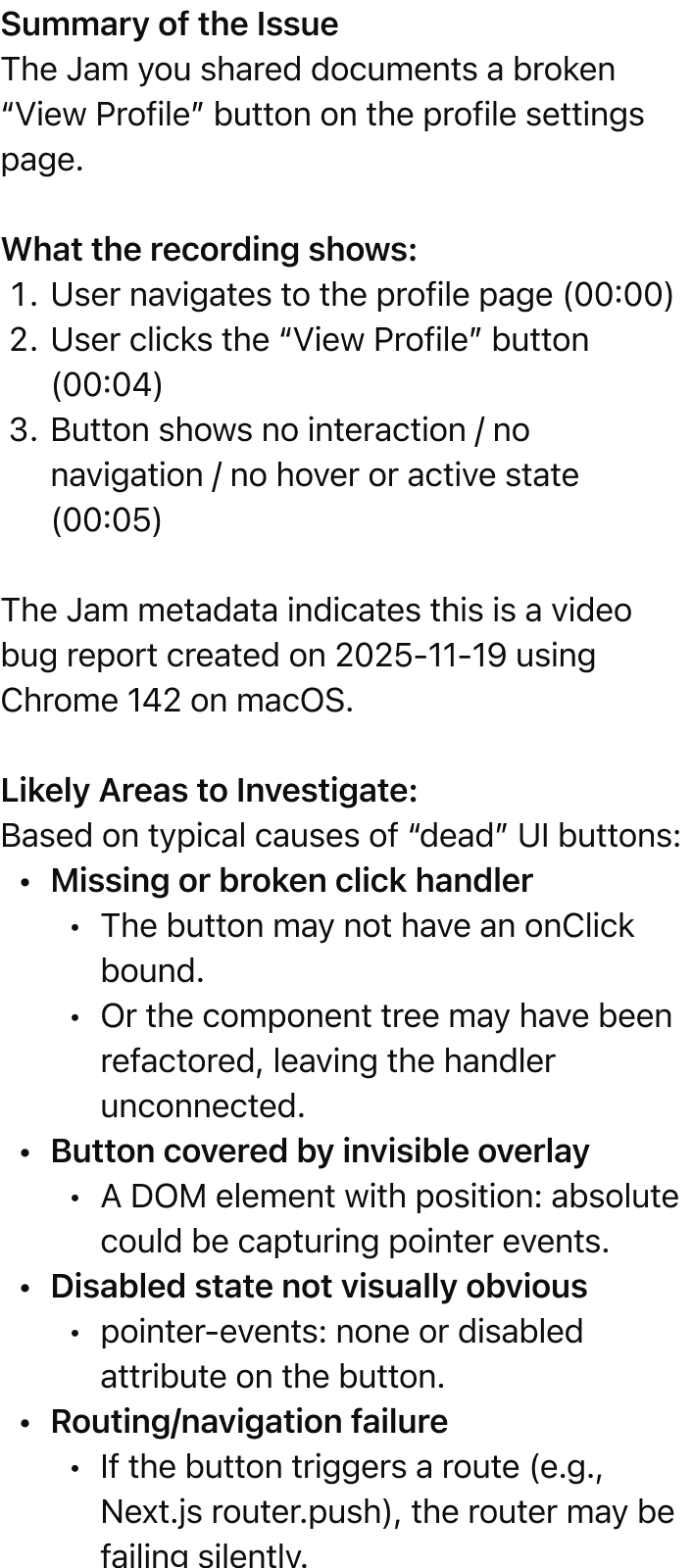
“@Jam what does this bug report show?”
Featured App History
Currently a featured app
No
Based on today's date
Number of days featured
0
App Features
Total actions
0
Total templates
0
App features for Jam coming soon!


